Blue Ticks, Wrong Number: The RCS Line-Attribution Audit for Two-SIM Phones
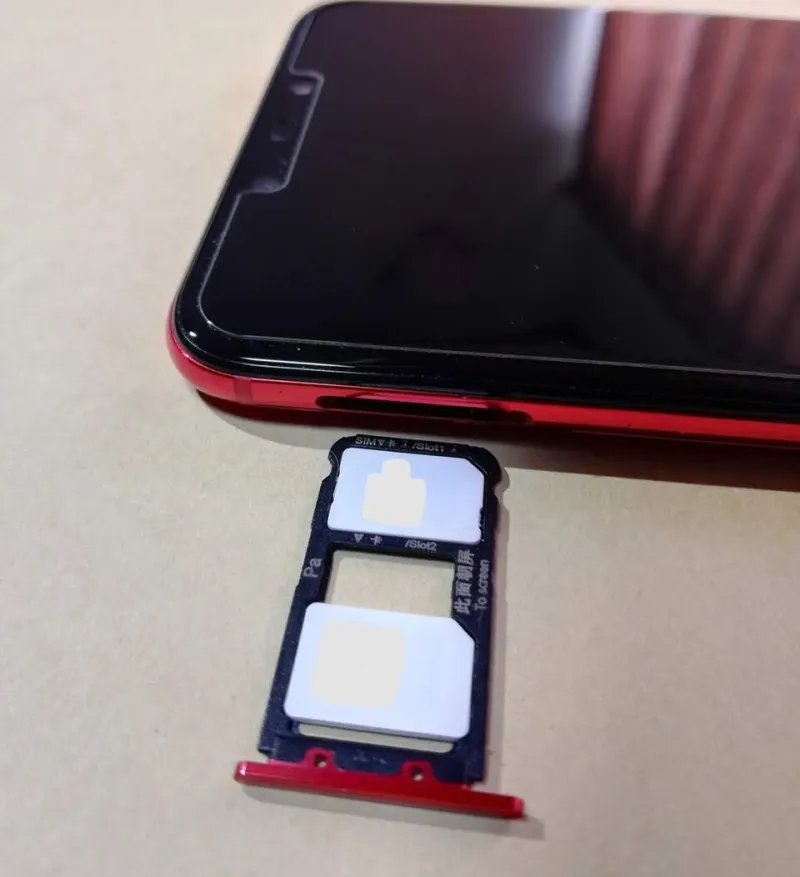
Photo: Inglid, CC BY-SA 4.0, via Wikimedia Commons
RCS has spent the last few years becoming the default way Android phones chat, and since Apple added support in 2024 it has crept onto iPhones too. In 2026, if you carry two UK numbers in one handset, the interesting question is not whether RCS works. It is which of your two identities is doing the talking.
That matters more than it sounds. A read receipt is a small social signal. A typing indicator is a small presence signal. Put the wrong one on the wrong number and you have told a client you were available at 9pm, or told a friend you ignored them while you were actually replying to your boss. The good news is that RCS attribution is usually logical once you know where to look. The bad news is that phones, apps and UK networks do not all make it obvious.
The short answer: receipts follow the number, not the handset
In principle, an RCS read receipt belongs to the conversation identity — the number that sent the message. If your work SIM sends a message, the blue tick goes back to the work number. Your personal SIM is not credited, blamed or notified. Typing indicators work the same way: they are attached to the line that is composing the message.
That is the theory. In practice, a dual-SIM phone can blur the picture because the messaging app may merge contact threads, hide the active line behind a small label, or fall back to SMS without making a fuss. The receipt still follows the number, but you may not be sure which number you just used.
Why your phone makes this harder than it sounds
On Android, Google Messages is the usual RCS app in the UK. Some versions show a per-SIM RCS toggle; others inherit the default SMS SIM or pin chat features to one line. Carrier variants from EE, O2, Vodafone, Three and the MVNOs that ride on them do not all expose the same switches. If your handset came from a network, the Messages app may be a custom build with slightly different settings.
On iPhone, the picture is split. iMessage is tied to your Apple ID, not your SIM, so read receipts and typing indicators can feel account-level rather than line-level. RCS is meant to be number-level, but iPhone support is still relatively new and carrier-dependent. If both your UK numbers are registered to the same Apple ID, test carefully before assuming the work line is behaving like a separate identity.
The practical lesson is simple: do not trust the bubble colour, the contact name or the last-used line. Run a test.
The ten-minute audit: Android and iPhone
Start by labelling your SIMs. On Android, go to Settings > Network & internet > SIMs and give each line a name you will recognise on a notification: Work EE, Personal O2, whatever fits. On iPhone, open Settings > Cellular and rename your plans. This sounds cosmetic. It is not. It is the difference between a quick glance and a privacy incident.
On Android, open Google Messages > Settings > Chat features. Look for RCS availability and any per-SIM control. Set your default SMS SIM deliberately. Then send a test RCS message to a trusted friend from each line, one at a time. Ask them which number appeared, whether the read receipt arrived when they opened it, and whether a typing indicator showed. Repeat with RCS off so you can see how SMS fallback behaves.
On iPhone, check Settings > Messages > Send & Receive and your default voice line under Cellular. Send a test iMessage and a test RCS message to a friend on Android. Ask them what number they see and whether read receipts behave differently between the two. If you use both lines for work and personal life, test from both — not just the line you think is default.
Group chats are where it gets messy
A group chat is a membership list of phone numbers. If you add both your work and personal numbers to the same group, you are two participants. That can be useful for a family chat where you want both lines reachable, but it is a trap for anyone keeping work and personal life apart.
If you reply from the wrong line, the group sees the other number. If your contact card uses the same name and photo for both numbers, people may join the dots quickly. Read receipts in groups can be even more revealing: they show that a participant has seen the message, and if both your numbers are in the group, your presence may be visible twice.
My advice is boring but effective: do not put both numbers in the same group unless you have a reason. If you must, name the participants clearly and check which line is active before you send anything sensitive.
Privacy traps for double-lifers
Merged contact threads are the first trap. If your phone links both numbers to one contact card, the thread may look like one conversation even though it is two identities. The active line may be indicated by a tiny SIM badge. Miss it and you may reply from the wrong number.
The second trap is read receipts as presence. If you leave receipts on for your work line, a colleague can see that you read a message at 10pm even if you intended to deal with it the next morning. If you turn receipts off globally, you lose the same signal for personal chats too. Decide which line needs plausible deniability and configure accordingly.
The third trap is fallback. If RCS drops to SMS or MMS, the message may follow your default SMS SIM rather than the line you started the thread on. That is a classic wrong-number moment. Test it deliberately by sending to someone whose phone does not support RCS.
Set your defaults before the next message
Make your default SMS line the one you use most often for casual messages. Then pin specific conversations to the other line if your handset supports it. On many Android phones you can choose a SIM per conversation; on iPhone, the default line for new conversations is set in Cellular settings, while existing iMessage threads may follow your Apple ID addresses.
Label your notifications so the line is visible on the lock screen. Check your RCS settings after every major OS update, because carriers and app versions do change. And if you are using a work profile or a managed device, ask your IT team how messaging is supposed to work — do not assume the phone separates the two lines for you.
RCS is a genuinely better messaging experience than SMS, and dual-SIM is a genuinely useful way to carry two lives in one pocket. The two only work well together when you know which number is speaking. A ten-minute audit now is cheaper than an accidental blue tick later.