Seconds Count: The Pre-Flight Emergency-Call Audit for Your Two-SIM Handset
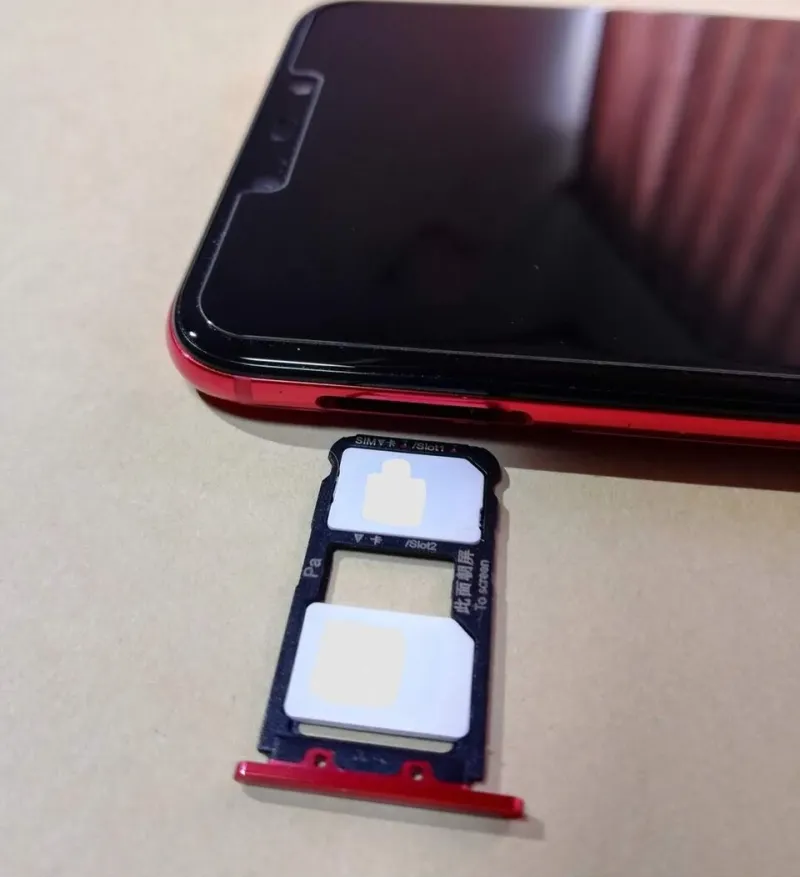
Photo: Inglid, CC BY-SA 4.0, via Wikimedia Commons
There is a particular kind of quiet panic that comes from realising, mid-emergency, that you do not know which of your two mobile numbers your phone will actually use. Most of the time, dual-SIM life is pleasantly boring: work calls land on one line, family on the other, and data comes from whichever SIM has the better deal that month. Emergency calling is the one area where that comfortable ambiguity is not good enough.
This is not a guide to dialling 999 to see what happens. Please do not do that. It is a guide to understanding the handset logic, checking the settings, and removing the obvious surprises before you are standing in a car park with one bar of signal and a dead eSIM.
The phone does not ring both lines at once
When you dial 999 or 112, your phone does not behave like a tiny switchboard, offering the call to both SIMs and letting the emergency operator pick. It chooses a line. That choice is usually based on your default calling SIM, your preferred SIM for calls, the last line you used, or some manufacturer-specific logic that may only reveal itself in the moment.
Modern dual-SIM phones often fall back to the other line if the chosen one has no service, and emergency calls in the UK can be carried by any mobile network that has coverage — not just your own provider. That is genuinely reassuring. But fallback behaviour varies by handset, software version and whether the second line is a full voice SIM or a data-only eSIM. The sensible approach is to know your phone's default, then treat fallback as a bonus rather than a plan.
Start with the five-minute audit
First, find your default calling line. On most Android phones this lives under Settings > Network and internet > SIM cards, or similar; on iPhone it is Settings > Mobile Service > Default Voice Line. Label the lines properly. 'Work O2' and 'Personal Vodafone' are much more useful than 'Primary' and 'Secondary' when you are in a hurry.
Second, confirm both lines are active and registered on a network. Toggle aeroplane mode on and off, then look for the carrier names and signal bars. If an eSIM is disabled, deleted or stuck mid-transfer, it will not be a backup. This matters more than people think: a travel eSIM you deleted after your last trip is not going to help you now.
Third, check whether either line is data-only. Some travel eSIMs are sold as data packages and do not support voice calls, including emergency calls. If your second line is one of those, it can still be useful for maps and messages, but it is not a voice backup. Keep at least one voice-capable line active.
Wi-Fi calling is helpful, not magic
Wi-Fi calling can be a lifesaver indoors, especially in a basement flat or a hotel with thick walls. UK networks support emergency calls over Wi-Fi calling, but the location information passed to the emergency services may be less precise than with a normal mobile call. Treat Wi-Fi calling as a useful extra route, not a reason to ignore mobile coverage.
It is also worth checking whether Wi-Fi calling is enabled on both lines, or just the one you use for everyday calls. If you rely on the second SIM for work, make sure it is set up the same way. And if you are travelling, remember that Wi-Fi calling behaviour can change when you are abroad, so do not assume the setup you tested at home will behave identically on hotel Wi-Fi in Spain.
The eSIM wrinkle
An active eSIM behaves much like a physical SIM for emergency calling, but the admin around it is where people come unstuck. Many phones can store several eSIM profiles but only keep two lines active at once. If you have a work eSIM and a personal eSIM, check both are switched on. If you recently moved an eSIM between phones, confirm the old line is not still showing as active when it is not.
The practical rule is simple: before you travel, open the SIM manager and look at what is actually enabled. Not what you think is enabled. Then make a deliberate choice about which line is the default for calls and which is the backup.
Before you go abroad
In Europe, 112 is the emergency number to remember, and 999 usually works too. Outside Europe, save the local emergency number before you need it. Dual-SIM phones can be brilliant for travel, but roaming adds variables: one line may be roaming, the other may not; one may have credit, the other may be data-only.
Check that both lines can register on a local network when you arrive. Data roaming being switched off does not stop emergency calls, but the line still needs to be able to connect to a network. If your second SIM is a local prepaid eSIM, confirm it supports voice calls. If it is a data-only travel eSIM, do not count it as your emergency line.
A tiny drill that does not involve calling 999
You do not need to place a test emergency call. Instead, practise finding the emergency call button on your lock screen. Check that your medical ID and emergency contacts are filled in. Run through the settings audit above. Then, next time you switch SIMs or install an eSIM, do it again. It takes five minutes and it makes the whole two-number setup feel a lot less mysterious.
Two numbers in one phone is a genuinely useful arrangement. But useful only becomes reliable when you know which line will answer when seconds count. Audit it now, while the stakes are low.