The Last Fortnight: Untangling Two Numbers When You Hand Back the Work SIM
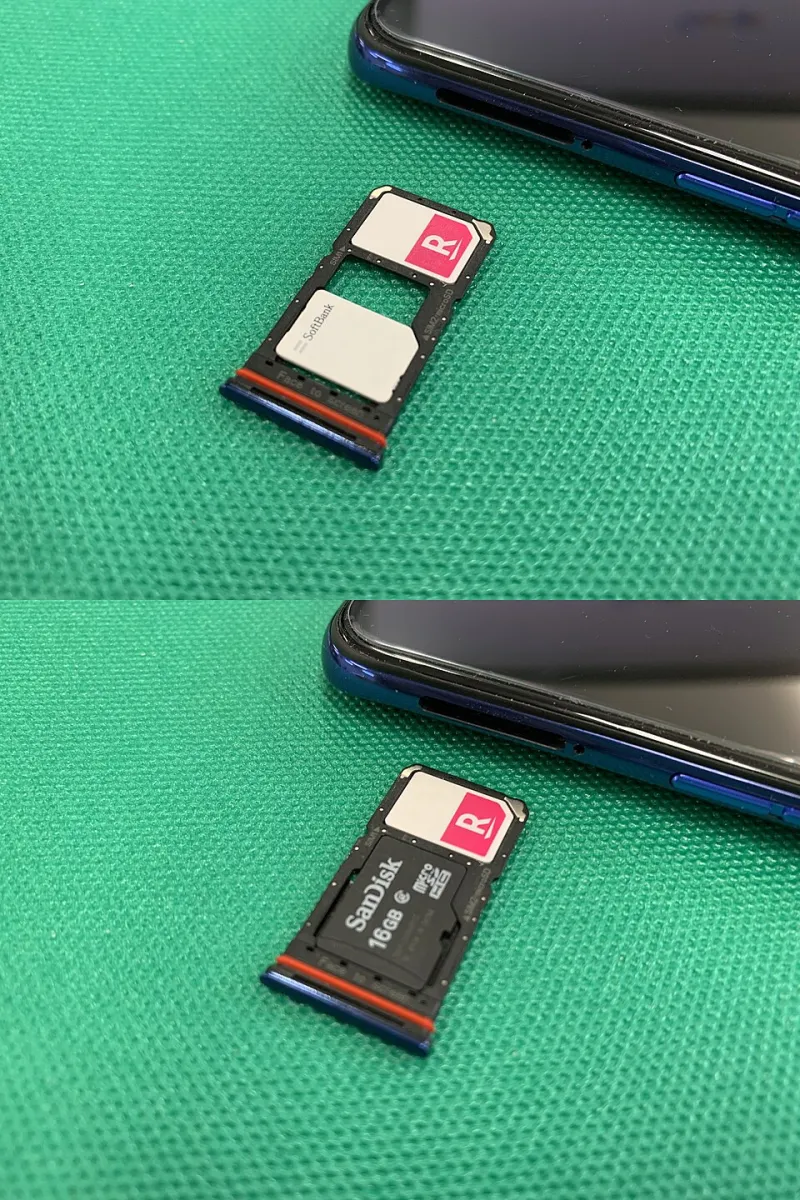
Photo: Project kei, CC BY-SA 4.0, via Wikimedia Commons
Leaving a job is mostly admin with a side order of emotion. The phone is the bit everybody leaves to the last afternoon, and it is also the bit most likely to bite you three weeks later when a bank asks you to confirm a code sent to a number you no longer own.
If you have been running a work line and a personal line on one handset — which, if you are reading this site, you probably have — then the exit is a two-SIM problem, not a phone-return problem. Here is how to do it in a sensible order.
First, Establish Who Actually Owns the Number
This matters more than anything else on this page. A UK mobile number lives on an account, and the account holder is the one who can request a PAC code. If your work SIM sits on a company account, you cannot walk into a shop and port it out yourself. Your employer has to do it, and many simply will not, because the number is part of their business record.
So ask early, in writing, and ask a specific question: is the business willing to release the number to a personal SIM in your name, or does it stay with the company? Sometimes the answer is a flat no. Sometimes it is a yes for long-serving staff whose number clients know by heart. Either way, get the answer before your notice period runs out, not after.
If the answer is no, plan for the number to disappear. That is the assumption the rest of this guide runs on.
The PAC Conversation, and Why It Is Not Yours to Have
A PAC arrives by text to the number being ported and lasts 30 days. On a personal line, you text the shortcode and it lands in seconds. On a corporate line, the request usually has to come from the account holder, which means a phone call from someone in IT or finance rather than you.
Two practical notes. First, do not leave this to the day you hand the handset over; PAC requests sometimes stall on billing holds or account verification. Second, if the number is being released to you, make sure the PAC is generated closest to the port date rather than fourteen days before it, or it will quietly expire while you are still clearing your desk.
Map Everything Tied to That Number
Before anything gets deleted, spend twenty minutes with a notes app and list every service that has ever sent a code to the work line. The usual suspects: bank and credit card apps, HMRC Government Gateway, your pension portal, the DVLA, Deliveroo, a gym membership, maybe a couple of shopping accounts you forgot existed. Add the work ones — Teams, Slack, the authenticator app that guards them.
Then split the list in two. Things tied to the number, and things tied to the account. You only care about the first group. A bank sends codes to whatever number is registered, so change the registered number. An authenticator app is tied to a device or a backup, not a SIM, so it usually moves with you — but only if you have exported or backed it up.
Move the Two-Factor Before You Lose Access
This is the step that ruins people's week. Most services will only let you change your registered number after you verify the old one, which means you need the work SIM in the phone and a signal. Do it in the office, on a weekday, while you still have the SIM and a login.
Authenticator apps deserve their own pass. Microsoft Authenticator backs up to a personal Microsoft account if you have turned it on. Google Authenticator supports export via QR codes, which means you can move your tokens to a personal device in a couple of minutes. If neither has been set up, you may need to re-enrol each account from scratch once you have access to the work systems one last time — so do that before the laptop goes back too.
Extract Your Contacts Properly
Contacts are a classic false sense of security. People assume they are on the phone. Often they are on a Google account, an iCloud account, a company Exchange server, or the SIM itself — and a SIM can only hold a few hundred of them, badly.
Open your contacts app and check which account each group belongs to. Export the work-related ones as a vCard file and email it to a personal address, then import into your personal account and de-duplicate. Do not rely on the SIM's own contact list as a backup; it is the least reliable option available.
While you are in there, decide what happens to your personal contacts that leaked into the work account. If the company owns the mailbox, they own the address book attached to it.
The App Divorce
WhatsApp is the one that catches people out. If your work chats lived on the work number, that account ends when the number does — and WhatsApp's change-number feature only works if you still control the old number to receive the verification code. Back up first, then change the number while the SIM is still active. Signal works similarly.
If you used iMessage or FaceTime on the work number, deregister it through Apple's tool before the SIM goes back, or people will keep trying to reach an address that has moved on.
Run the Final Two-SIM Test
With both SIMs still in the phone, do a proper handover check. Call out from each line and confirm the right caller ID shows. Text both directions. Check which line is set as default for data, then check what the phone does when you pull the work SIM — most handsets quietly reassign defaults, some do not, and a small number get stuck on a carrier profile that needs a settings reset.
Then take the work SIM out and test the personal line on its own. VoLTE, Wi-Fi calling, mobile data, an emergency call to confirm the radio is behaving, and one bank code to prove the two-factor actually moved.
The Day After
There is always a follow-up. Log into anything that used to text the old number and check the registered contact details are what you think they are. Watch the first week of texts carefully. And keep any written confirmation that the line was closed and the handset returned — it is dull, but it is the kind of dull that saves an argument later.
A dual-SIM phone makes this all easier, not harder. You just have to run the exit in the right order, and start it about ten working days before the leaving drinks.