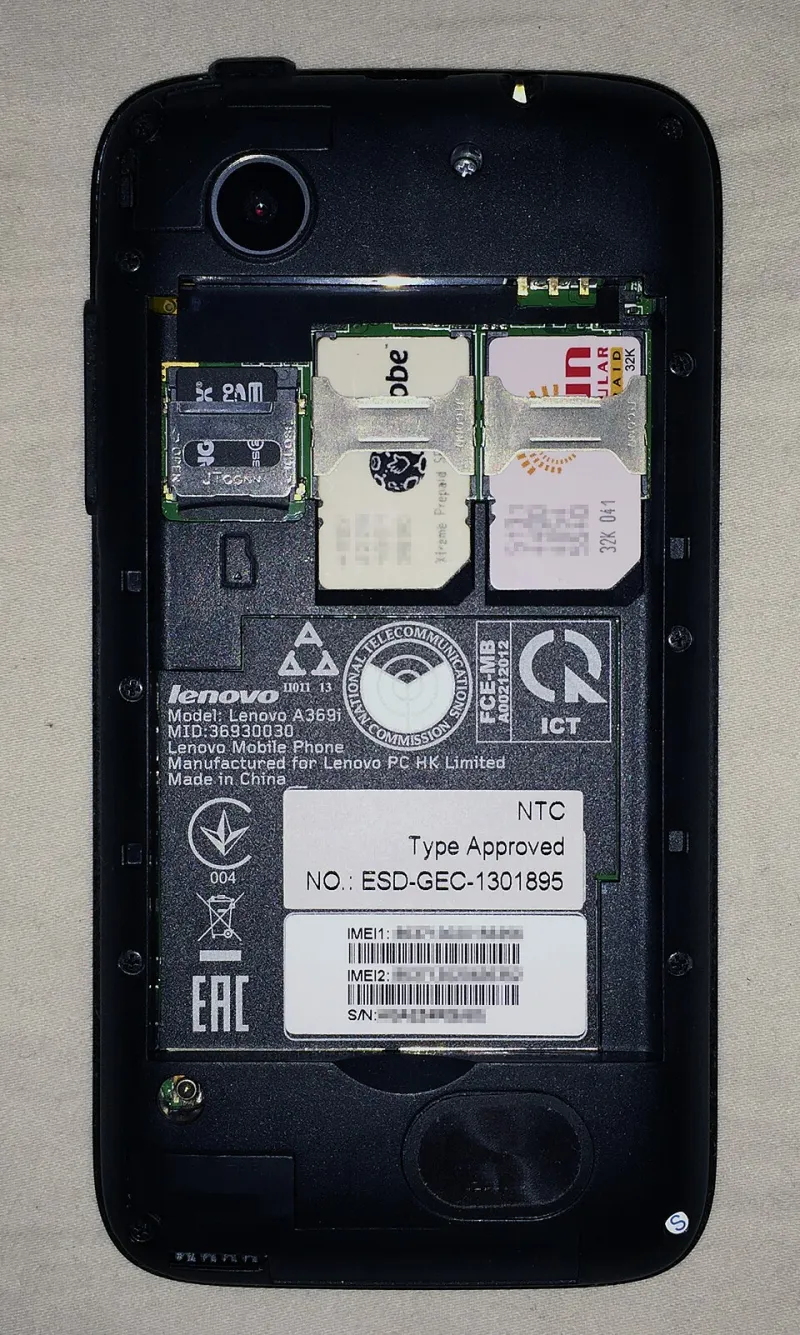
Five Bits of UK Kit That Turn a Second SIM Slot From Gimmick Into Genuinely Useful
Photo: Elexfedi, CC BY-SA 4.0, via Wikimedia Commons
Buying a dual-SIM phone is the easy bit. The harder question is what you actually do with the second line once it's in there — and whether the software you bolt on top is helping or just adding another subscription to the pile.
Over the past few months we've been running a two-line setup on UK networks with a rotating cast of apps and services alongside it. Here are five that pulled their weight, tested from the perspective of someone who genuinely needs a work number, a personal number and data that works on a train.
1. Travel eSIMs: Airalo, Nomad and the rest of the pack
Second SIM slots used to be about physical cards and airport kiosks. Now the interesting work happens before you leave: install a data-only eSIM, keep your UK physical SIM live for texts and two-factor codes, and switch the default data line on landing.
Cost: short UK and Europe data bundles generally sit in the £4–£6 range for around 1GB over a week; regional plans climb past £20 quickly. Prices move constantly, so check before you commit.
The dual-SIM bit: the travel eSIM must be your default data line, with the home SIM's data switched off but its line still active for SMS. Set that up before you fly, not at the baggage carousel.
Caveats: most travel eSIMs are flagged as roaming, so the per-line Data Roaming toggle must be on — a genuinely common support query. Many are data-only, so no local number for restaurant bookings. And check whether your handset supports eSIM at all, because plenty of UK mid-range models still don't.
2. Virtual numbers: Hushed and its rivals
An app-based number gives you a second inbound and outbound line without touching the SIM tray — useful if you're freelancing, selling things on Facebook Marketplace, or just don't want your real number in a plasterer's contacts list.
Cost: typically a few pounds a month for a number plus a call and text allowance, or a one-off fee for a time-limited number.
The dual-SIM bit: these run entirely over data, so they'll happily live on whichever line has signal. In practice, use them with the line that has the better data connection, not necessarily the one with better voice coverage.
Caveats: emergency calling is the big one. App-based numbers are not guaranteed to support 999, and even where they do, location information passed to the emergency services is weaker than from a real SIM. Don't make one your only number. Also, UK geographic numbers issued through VoIP providers can't always receive SMS from banks, which will break two-factor authentication.
3. Call forwarding and VoIP: Localphone, Zadarma, Sonetel
If you want calls to your second number to land on your primary line — or on a laptop — forwarding services do the job more cheaply than most people realise.
Cost: UK geographic numbers often run a couple of pounds a month, with per-minute forwarding charges on top. Many networks include conditional forwarding (busy, no answer, unreachable) at no extra cost; always-on forwarding is where charges appear, so read your plan.
The dual-SIM bit: forwarding lets you keep a business number on something cheap and dumb — a PAYG SIM in slot two, or nothing at all — while your main phone rings for everything.
Caveats: forwarding chains add latency and can mangle caller ID. Some voicemail systems behave strangely when calls are forwarded twice. Test with a friend before giving a client the number.
4. SMS archiving: SMS Backup & Restore, or Messages in iCloud
Here's the thing nobody warns you about: dual-SIM texting is messy. Threads sit in one app with a tiny tag showing which line they arrived on, and the moment you swap handsets you realise how much of your life is in there.
Cost: on Android, SMS Backup & Restore is free with ads and a low single-digit one-off price to remove them. On iPhone, Messages in iCloud is bundled with iCloud+, which starts at 99p a month for 50GB.
The dual-SIM bit: on Android, check that your backup app captures messages from both subscriptions — some older tools only read the default SIM's inbox. Back up, then verify by searching for a text you know arrived on the second line.
Caveats: SMS backups contain two-factor codes and bank alerts, so encrypt the archive and keep it out of an unsecured cloud folder. iPhone users should also note there's no full SMS export natively — iCloud sync is a safety net, not an archive.
5. Work-profile and app-cloning tools: Shelter, Dual Messenger, WhatsApp's second account
This is where a dual-SIM phone earns its keep for professionals: separate work apps from personal apps so you're not mixing calendars, contacts and notifications.
Cost: free. Shelter is open source on Android; Samsung's Dual Messenger and Xiaomi's Dual Apps come built in. WhatsApp now supports two accounts in one app, which removes the need for cloning hacks entirely.
The dual-SIM bit: pair each app instance with a different SIM — WhatsApp account one on the personal line, account two on the work line. Go into the app's settings and confirm which SIM it's registered against, because WhatsApp chooses based on whichever number you verified.
Caveats: cloners are not a substitute for proper mobile device management. If your employer requires Intune or Workspace ONE, use the real thing — Android Work Profile is genuinely well designed for this. iPhone has no true work profile, so managed accounts and Focus modes are the closest you'll get. Some banking apps detect cloning tools and refuse to run; Shelter's isolated profile is usually tolerated but not guaranteed.
The verdict
If we had to pick two: a travel eSIM for data flexibility and a virtual number for keeping your real line out of circulation. The rest are quality-of-life improvements you'll appreciate more the longer you run two lines.
One last reality check — Google Voice, the service everyone recommends in forum threads, is US-only. Ignore it. And whatever you install, make sure emergency calls can still reach 999 from your physical SIM, because no app is going to save you there.